

LeoCompare
LeoCompare compares money transfer rates and fees across licensed providers in the UAE. I designed the comparison flow so users see the total amount the recipient gets, not just the headline exchange rate.
What I worked on
Tools
About the project
Company
LeoCompare is a UAE financial comparison platform. It compares money transfers, home loans, SME loans, and business payments across licensed providers.
My Role
Designed the money transfer and currency comparison flow end to end.
The Screen
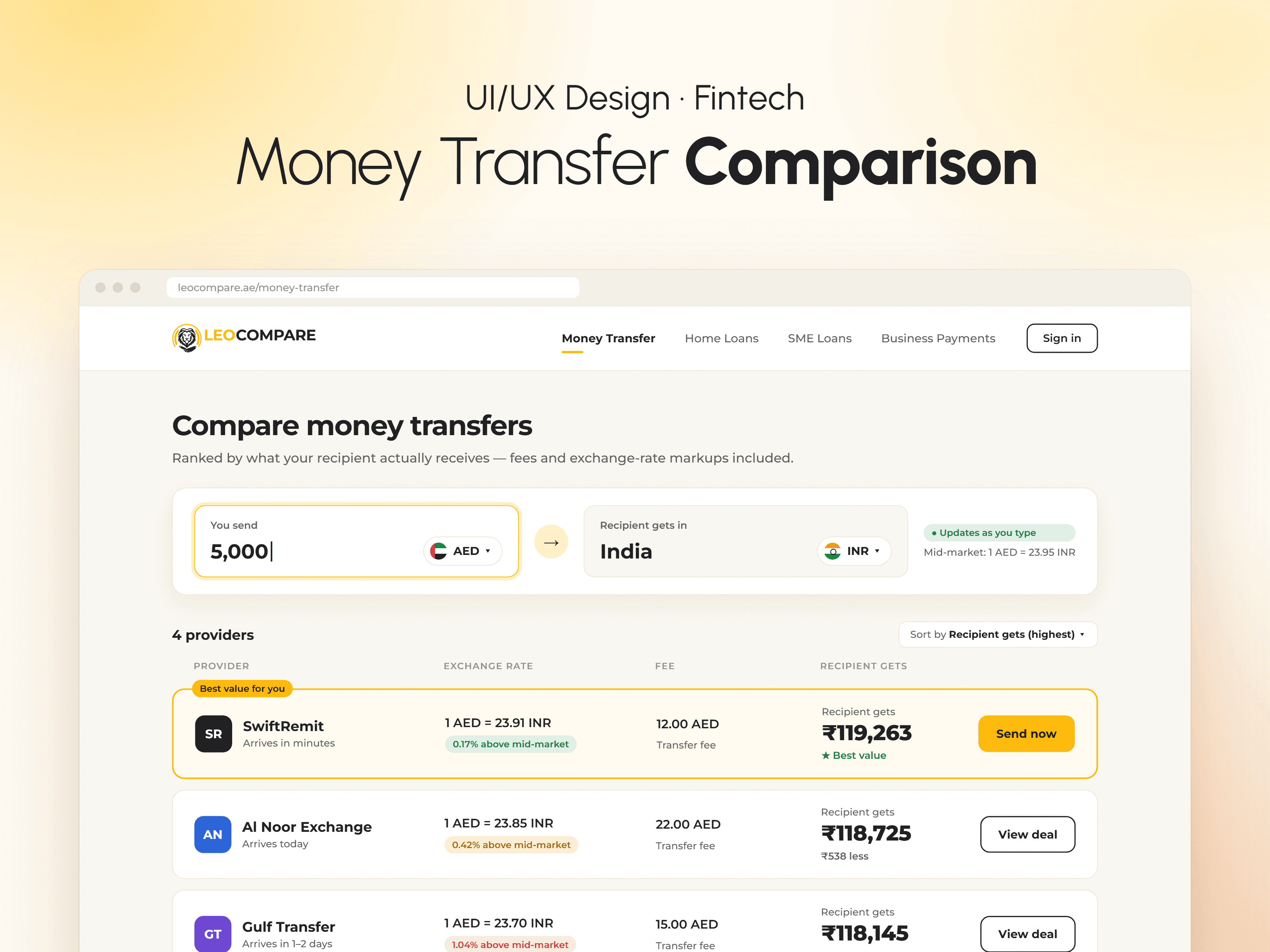
The money transfer and currency comparison flow. A user enters an amount and a destination currency. The screen compares rates and fees across providers side by side before the user sends.
The Problem
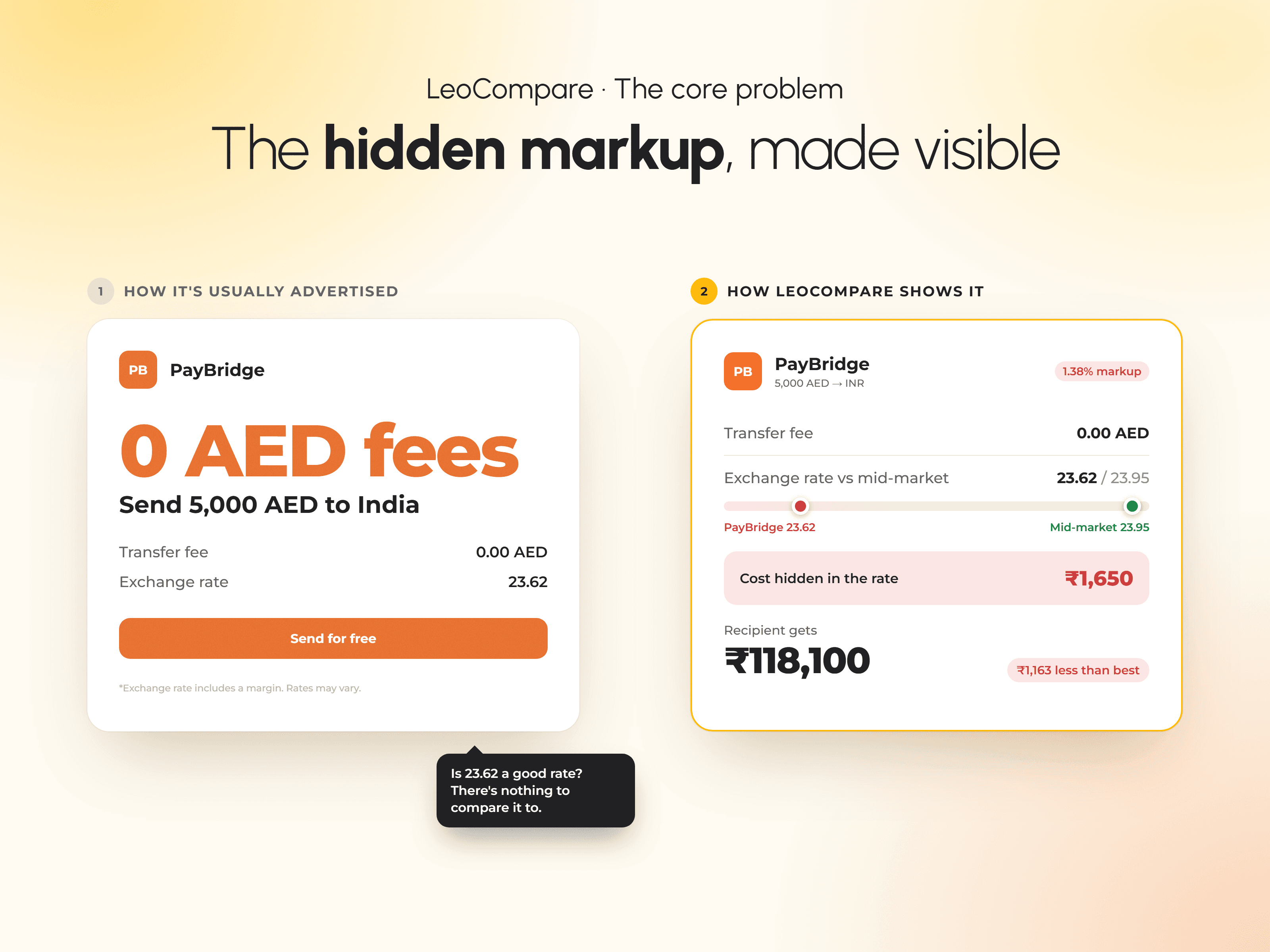
Hidden markups on exchange rates are the most common complaint in this category. Providers advertise a low fee, then bury their margin inside the exchange rate itself. A user has no easy way to compare the true total cost across providers.
The Challenge
A comparison page has to show a lot at once: exchange rates, several fee options per provider, speed, and delivery method. The risk was overwhelming users or hiding the real cost. I put the main inputs at the top, made each provider a scannable card, and opened the full cost breakdown only when the user asks for it.
What I Designed
Delivery method (bank deposit, cash pickup, mobile wallets) chosen up front
The live mid-market rate with a trend line and rate alerts
Featured and Best Value tags on providers
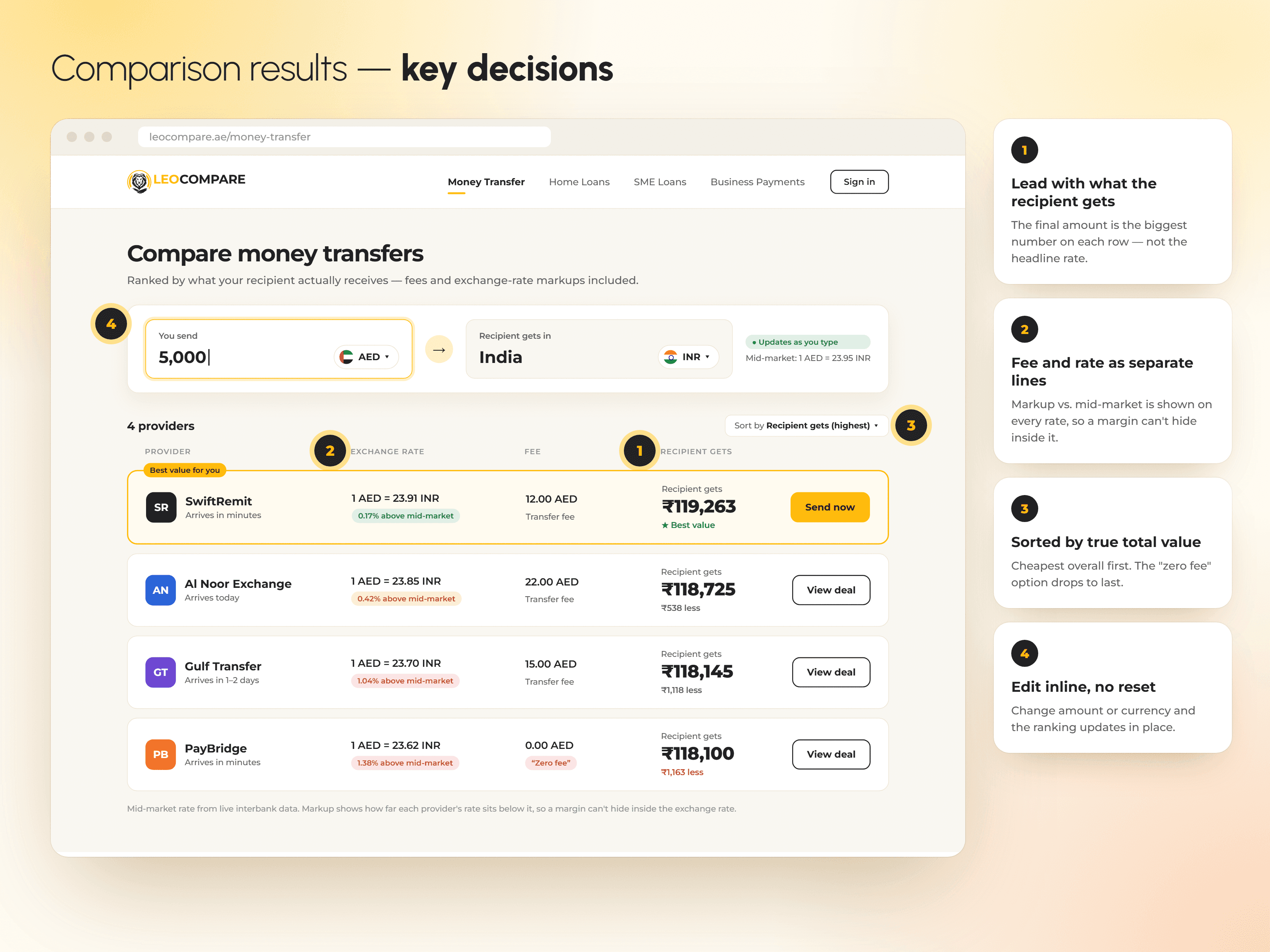
The total the recipient gets shown clearly on each provider card
An expandable cost breakdown that shows the fee hidden inside the exchange rate
What shipped
The comparison flow shipped to production. Users enter an amount and destination currency and see the total the recipient gets, with fee and exchange rate shown separately.
Trade-offs
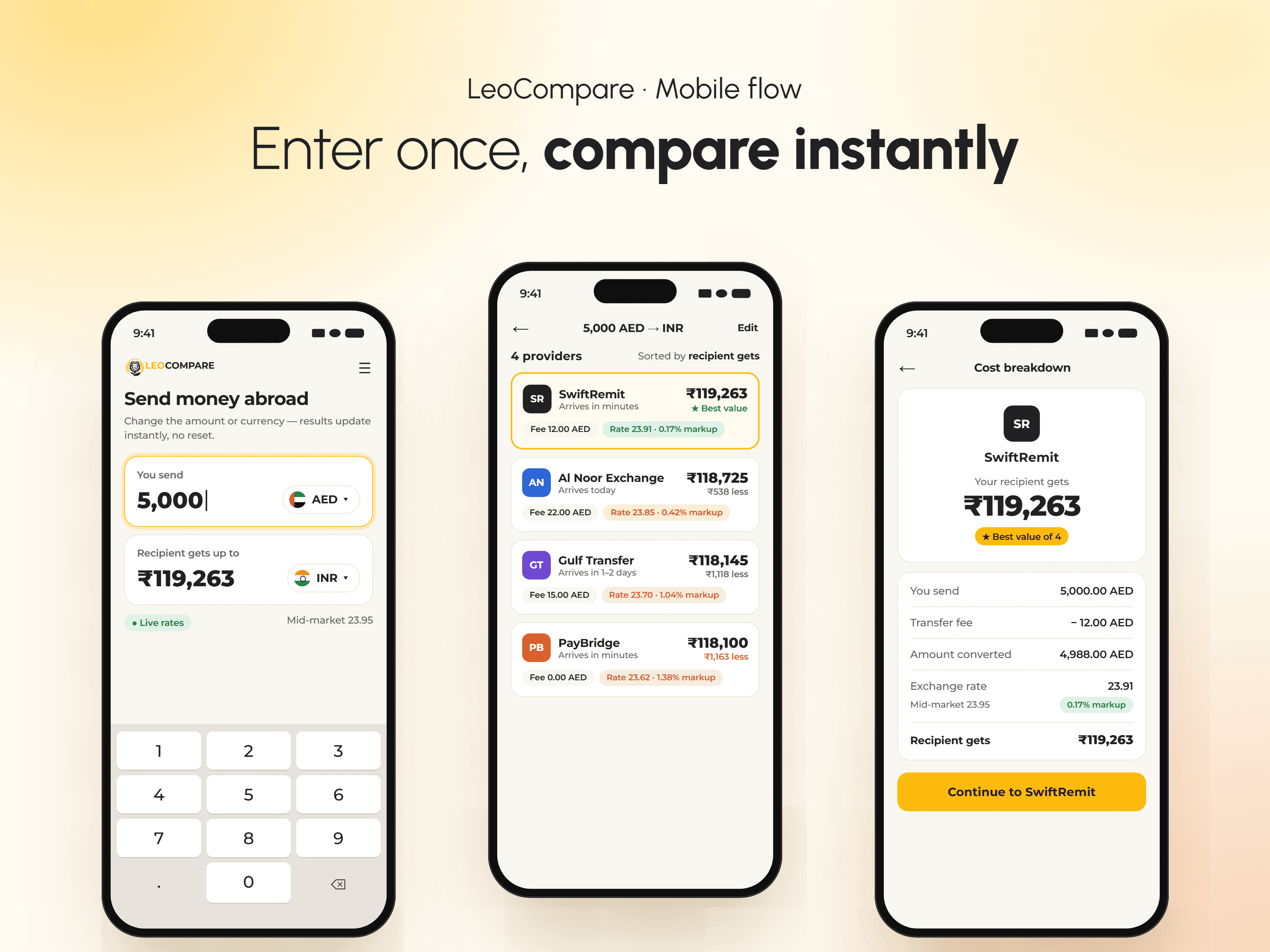
Comparing providers meant showing a lot of information, and I didn't want it to feel heavy. I kept the first view simple, with the key inputs at the top and one clear card per provider, and put the full cost breakdown behind an expandable section. The trade-off is that users have to open a provider's card to see every fee line, but the page stays easy to scan and nice to use.
© 2026 Anubha Singh. All rights reserved.